Gusto Integration Example
This example demonstrates the process of integrating a new payroll API using Gusto. Gusto is integrated into Zebbra by default - so this guide is simply a walkthrough and may server as reference for integrating other payroll APIs.
Setup
We assume that you've already created a Gusto developer account and have registered your application.
Start by adding the client ID and client secret issued during the registration to the .env file.
Secondly, we add the Gusto specific URLs to our settings module. The client ID and secret will be retrieved from the .env file.
# core/settings.py >

class Settings(BaseSettings):
    ...
    GUSTO_CLIENT_ID: str
    GUSTO_CLIENT_SECRET: str
    GUSTO_CONF_URL: str = "https://api.gusto-demo.com/.well-known/openid-configuration"
    GUSTO_API_BASE_URL: str = "https://api.gusto-demo.com/"
    GUSTO_REFRESH_URL: str = "https://api.gusto-demo.com/oauth/token"
    GUSTO_AUTHORIZE_URL: str = "https://api.gusto-demo.com/oauth/authorize"
    ...
Next, we can add Gusto to the list of integration providers, in core/schemas/integrations.py.
Using the template generator
We provide a code generator that creates the code for the fetch adapter and oauth integration from a template.
# zebbra/server

$ make generate_from_template INTEGRATION=Gusto API_TYPE=payroll

Generating files for integration Gusto...
Using payroll templates...
Created file: core/integrations/oauth/gusto_oauth.py
Created file: core/integrations/adapters/gusto_adapter.py
As visible in the output, the script creates two files, one for the oauth integration and one for the fetch adapter.
Implementing the OAuth integration
In the auto-generated file core/integrations/oauth/gusto_oauth.py file we can now implement the Gusto specific methods in the GustoIntegrationOAuth class
Implementing the _perform_token_refresh method
The _perform_token_refresh method is responsible for performing the OAuth refresh workflow in case
the current access token has expired. The method uses the Authlib oauth_app instance of the class to send a post request to the Gusto refresh URL. The specifics of this can usually be found in the API documentation of the API you'd like to integrate.
The following is the implementation of the _perform_token_refresh method. The methods _process_refresh_response and _store_oauth_token which it calls will be explained later
# define the token refresh flow
async def _perform_token_refresh(self, integration_access: IntegrationAccess):

    # start by making a POST request to the login url
    response = await self.oauth_app.post(
        settings.GUSTO_REFRESH_URL,  # for Gusto, LOGIN_URL = REFRESH_URL
        data={
            "client_id": settings.GUSTO_CLIENT_ID,
            "client_secret": settings.GUSTO_CLIENT_SECRET,
            "redirect_uri": f"{settings.ZEBBRA_BASE_URL}/integration/gusto/callback",
            "refresh_token": integration_access.token.refresh_token,
            "grant_type": "refresh_token",
        },
    )

    # process the response to extract the token
    token = await self._process_refresh_response(response, integration_access)

    # update token in DB
    await self._store_oauth_token(integration_access.workspace_id, token)

    # return the new integration access object
    return await get_integration_for_workspace(
        integration_access.workspace_id, self.integration()
    )
Lots of the heavy lifting in the _perform_token_refresh method is actually done by the helper method _process_refresh_response, which extracts the new token from the response of the call to the refresh URL.
We can implement it like this:
# helper method to extract token from authorize response
async def _process_refresh_response(self, response, integration_access: IntegrationAccess) -> IntegrationAccessToken:

  # if status is ok, simply take the response body
  if response.status_code == 200:
        token_data = response.json()
        if "expires_at" not in token_data:
            token_data["expires_at"] = token_data["expires_in"] + int(time.time())
        return IntegrationAccessToken(**token_data)

  # Can't refresh token -> set the requires_reconnect value of the integration
  #  access to True, indicating that the user has to go through the OAuth
  #  connection workflow to reconnect the integration. The integration access ID
  #  remains the same.
  await set_requires_reconnect(
      integration_access.workspace_id,self.integration(), True
  )

  raise HTTPException(
      status_code=status.HTTP_400_BAD_REQUEST,
      detail="Token refresh failed.",
  )
Implementing the _store_oauth_token method
Next, we also need to implement the _store_oauth_token method, which stores the new access token in the database. This works almost the same for every API, however, Gusto differentiates between different company's (or tenants). Zebbra currently only allows a single company, the ID of which must be retrieved from the Gusto API first.
Below is the implementation of the _store_oauth_token method together with the get_company method to get the company ID.
# implement method to store the new token in the DB
async def _store_oauth_token(self, workspace_id, token: IntegrationAccessToken):
    tenant_id = await self.get_company(workspace_id, token.dict())

    integration_access = IntegrationAccess(
        integration=self.integration(),
        workspace_id=workspace_id,
        token=token,
        tenant_id=tenant_id,
        requires_reconnect=False,
    )

    return await add_integration_for_workspace(integration_access)

async def get_company(self, workspace_id, token: dict | None = None):
    """
    Get the first available company ID
    :param workspace_id: Workspace for which to get the xero data.
    :param token: OAuth token. If not provided, it is retrieved from the DB.
    :return: Tenant ID
    """
    if token is None:
        integration_access = await self.get_integration_access(workspace_id)
        token = integration_access.token.dict()
    if not token:
        return None
    resp = await self.oauth_app.get("v1/me", token={**token})
    resp.raise_for_status()

    data = resp.json()
    if "payroll_admin" in (roles := data["roles"]):
        if "companies" in (payroll_admin := roles["payroll_admin"]):
            if len(payroll_admin["companies"]) != 0:
                return payroll_admin["companies"][0]["uuid"]
    return None
This concludes the implementation of the OAuth integration.
Creating an instance of the OAuth integration
Having implemented the OAuth integration, we can now create an instance of it in the same file (zebbra/server/core/integrations/oauth/gusto_oauth.py). The stubs for this are already generated automatically, you simply have to fill in the Gusto specific details.
Create instance and register OAuth app
gusto_integration_oauth = GustoIntegrationOAuth()

# here we use the settings from settings.py
gusto_integration_oauth.register_oauth_app(
    name="Gusto",
    client_id=settings.GUSTO_CLIENT_ID,
    client_secret=settings.GUSTO_CLIENT_SECRET,
    server_metadata_url=settings.GUSTO_CONF_URL,
    api_base_url=settings.GUSTO_API_BASE_URL,
    authorize_url=settings.GUSTO_AUTHORIZE_URL,
    access_token_url=settings.GUSTO_REFRESH_URL,
)
Setting up the endpoints (auto-generated)
You will notice that the endpoints are automatically generated at the bottom of the file.
Registering the integration
We need to let the Zebbra API know about the integration we just implemented. This can be done in the zebbra/server/core/integrations/config.py file by adding the GustoIntegrationOAuth instance we created in the previous steps.
Change the file to include the following:
# core/integrations/config.py

# import the oauth integration instance
from core.integrations.oauth.gusto_oauth import gusto_integration_oauth  # add this

...

def setup_integrations(app: FastAPI):
    ...
    # register the IntegrationOAuth implementation instance here
    _register_oauth(gusto_integration_oauth)  # add this
    ...
🚩 Checkpoint: OAuth integration done
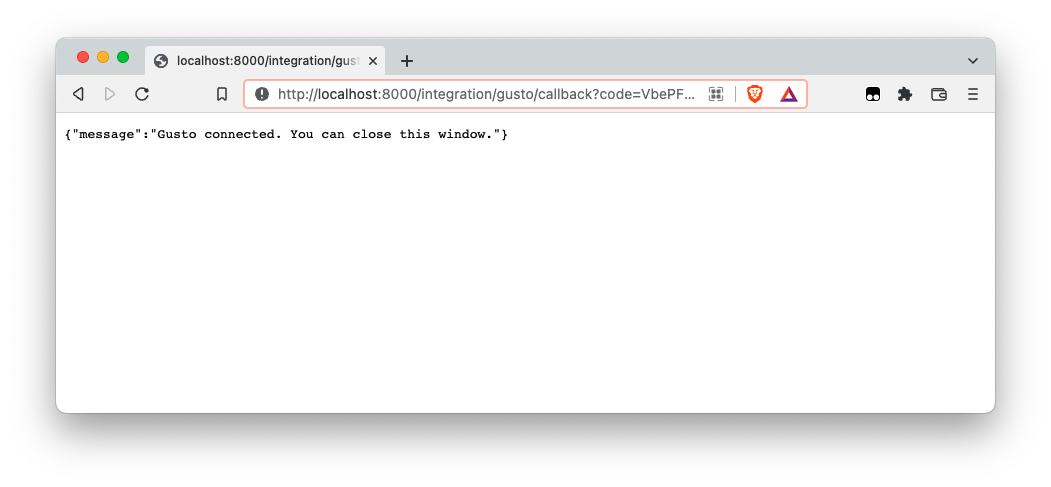
Hooray, we can now authenticate ourselves to the Gusto API!
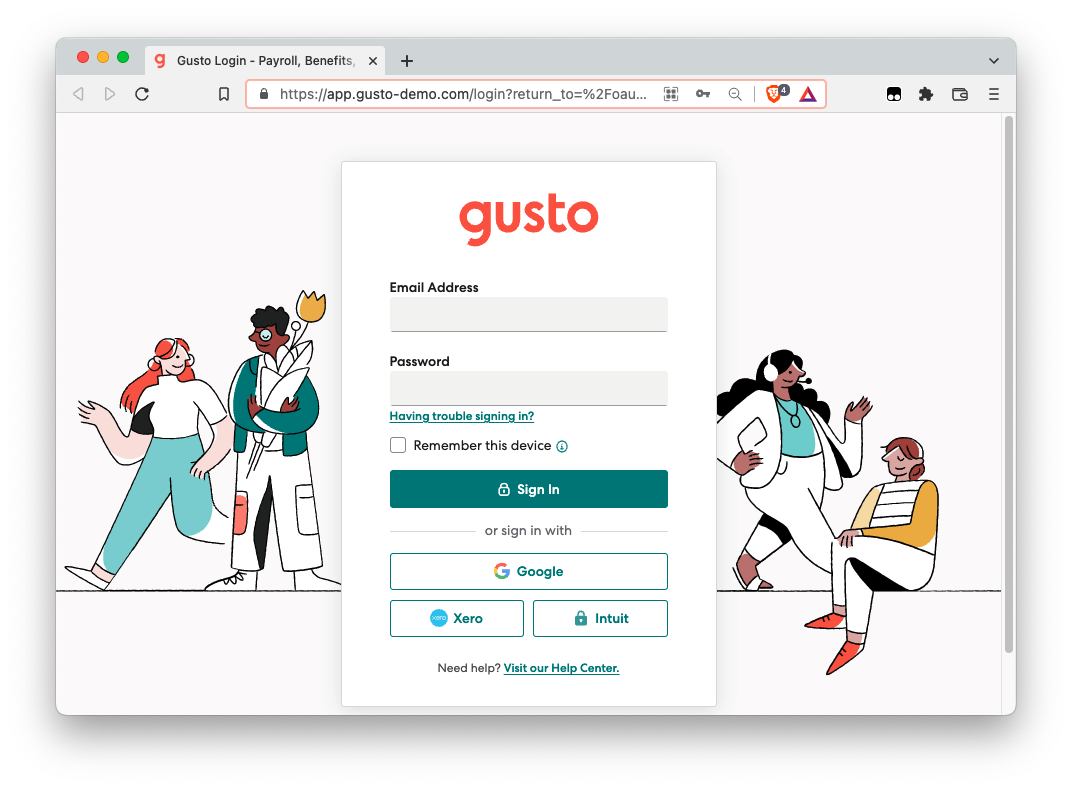
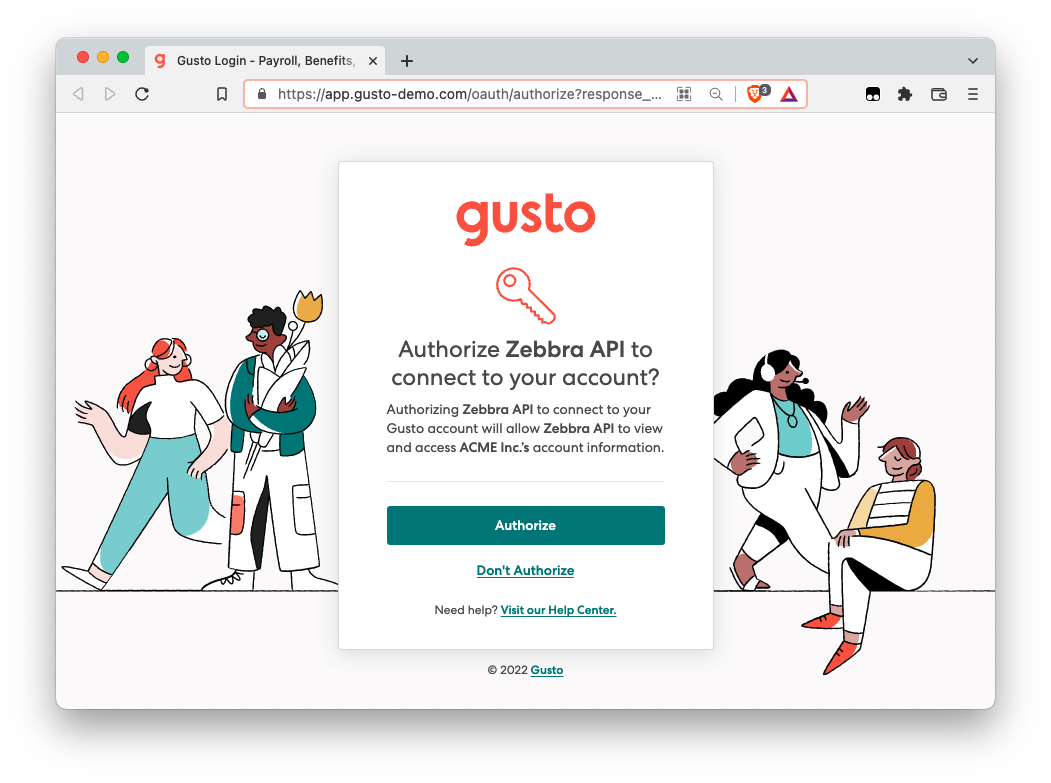
Let's fire up the Fast API server and head to the login endpoint for a workspace and an access token (you will have to fill in actual values).
Implementing the Fetch Adapter
In the second part, we set up the fetch adapter responsible for retrieving the payroll data from the Gusto API.
We start by implementing the stubbed methods of the auto-generated zebbra/server/core/integrations/adapters/gusto_adapter.py file.
Implementing get_data
Most crucially, the get_data method retrieves the data from the API and converts it into the required format of a list of Employees. Recall that an Employee object has the following format:
Employee:
    id: str
    name: str
    start_date: DateString
    end_date: DateString | None
    title: str
    department: str
    monthly_salary: int
    from_integration: bool
Ignoring the helper methods for now, the get_data method looks like this.
async def get_data(self, from_date: date) -> list[Employee]:

    # return empty list if gusto is not configured for the workspace
    if not await workspace_has_integration(self.workspace_id, self.integration()):
        return []

    # check if we can use cache
    cache_date = self._cache_date(from_date)
    if cached := await self.get_cached(cache_date):
        return cached

    # if no cache, retrieve from Xero API
    employees = await self._get_employees()

    # convert into the required format
    processed = self._process_employees(employees, from_date)

    # cache for next time
    await self.set_cached(processed, cache_date)

    return processed
Firstly, note that the methods _cache_date, get_cached and set_cached are implemented in the abstract parent class. Thus, the cacheing part of the method should be fairly similar accross integrated APIs.
Hence, what remains to be implemented is the _get_employees and _process_employees methods.
The _get_employees method uses the IntegrationAccess object for Gusto and fires another get request to the Gusto API, using the oauth_app attached to the adapter class. The response is then converted from JSON and returned.
async def _get_employees(self):

    # get the integration access object containing the Gusto credentials
    integration_access = await gusto_integration_oauth.get_integration_access(
        self.workspace_id
    )

    # get the employees data from the Gusto API
    resp = await gusto_integration_oauth.oauth_app.get(
        f"v1/companies/{integration_access.tenant_id}/employees",
        token=integration_access.token.dict(),
        headers={
            "Accept": "application/json",
            "Content-Type": "application/json",
        },
    )

    # Raise error if status is not 200
    resp.raise_for_status()

    # convert to dict and return
    return resp.json()
The _process_employees method now takes this dictionary and converts it into the required format of list[Employee]. This is quite the laborious process and putting it into this documentation would be more harmful than helpful. However, feel free to inspect the relevant method in the zebbra/server/core/integrations/adapters/gusto_adapter.py in more detail, which is extensively commented.
Registering the adapter
As with the OAuth integration class, we need to let the Zebbra API know about the adapter we just implemented. This can be done in the zebbra/server/core/integrations/config.py file by adding the GustoFetchAdapter class we created in the previous steps.
Change the file to include the following:
# core/integrations/config.py

# import the adapter class
from core.integrations.adapters.gusto_adapter import GustoFetchAdapter  # add this

...

def setup_integrations(app: FastAPI):
    ...
    # register the GustoFetchAdapter implementation class here
    _register_adapter(GustoFetchAdapter)  # add this
🚩 Checkpoint: Fetch adapter done
With this the fetch adapter is fully implemented and registered. The payroll integration is now automatically used by the model endpoint.
🏁 Conclusion
Now, when the user accesses the GET /model/payroll endpoint (after authorizing Zebbra with Gusto), payroll will be returned:
{
  "payroll_values": [
    {
      "date": "2021-06-30",
      "value": "0"
    },
    {
      "date": "2021-07-31",
      "value": "52712.903225806454"
    },
    {
      "date": "2021-08-31",
      "value": "81705.0"
    },
    {
      "date": "2021-09-30",
      "value": "81705.0"
    },
    {
      "date": "2021-10-31",
      "value": "81705.0"
    },
    {
      "date": "2021-11-30",
      "value": "81705.0"
    },
    {
      "date": "2021-12-31",
      "value": "81705.0"
    },
    {
      "date": "2022-01-31",
      "value": "81705.0"
    },
    {
      "date": "2022-02-28",
      "value": "81705.0"
    },
    {
      "date": "2022-03-31",
      "value": "81705.0"
    },
    {
      "date": "2022-04-30",
      "value": "81705.0"
    },
    {
      "date": "2022-05-31",
      "value": "81705.0"
    },
    {
      "date": "2022-06-30",
      "value": "81705.0"
    },
    {
      "date": "2022-07-31",
      "value": "86046.1935483871"
    }
  ],
  "employees": [
    {
      "_id": "123",
      "name": "North West",
      "start_date": "2021-07-12",
      "end_date": null,
      "title": "CEO",
      "department": "Management",
      "monthly_salary": 3810,
      "from_integration": false
    },
    {
      "_id": "456",
      "name": "North West",
      "start_date": "2021-07-12",
      "end_date": null,
      "title": "CTO",
      "department": "Technology",
      "monthly_salary": 3810,
      "from_integration": false
    },
    {
      "_id": "789",
      "name": "Psalm West",
      "start_date": "2021-07-12",
      "end_date": null,
      "title": "CFO",
      "department": "Finance",
      "monthly_salary": 3810,
      "from_integration": false
    },
    {
      "_id": "41226058700031650054844085539491510251",
      "name": "Isaiah Berlin",
      "start_date": "2021-07-12",
      "end_date": null,
      "title": "Client Support Manager",
      "department": "Sales",
      "monthly_salary": 3810,
      "from_integration": true
    },
    {
      "_id": "109171277485994239594311564213702217202",
      "name": "Patricia Churchland",
      "start_date": "2021-07-12",
      "end_date": null,
      "title": "Account Director",
      "department": "Sales",
      "monthly_salary": 6500,
      "from_integration": true
    },
    {
      "_id": "329683582745307538665093187497664260298",
      "name": "Soren Kierkegaard",
      "start_date": "2021-07-12",
      "end_date": null,
      "title": "Client Support Director",
      "department": "Marketing",
      "monthly_salary": 5833,
      "from_integration": true
    },
    {
      "_id": "140447957202207332458650830288626240162",
      "name": "Hannah Arendt",
      "start_date": "2021-07-12",
      "end_date": null,
      "title": "Account Manager",
      "department": "Marketing",
      "monthly_salary": 5083,
      "from_integration": true
    }
  ]